Most locksmith operators lose 40% of inbound leads before the first conversation. The problem isn't acquisition volume. It's operational handoff friction.
When you're evaluating options for locksmith lead generation, the technical conversation needs to start with speed-to-lead mechanics, not just cost-per-lead math. A lead delivered at 9:17 PM with no CRM handoff, no pre-qualified intent signal, and no mobile-first contact sequence is worth $0, regardless of how 'qualified' the vendor claims it is.
The locksmith vertical operates on emergency economics. A lockout generates a call within 6 minutes of the trigger event.
If your lead routing adds 8 minutes of internal delay, you've already lost the job to the competitor who picked up in 90 seconds. This isn't a marketing problem. It's a dispatch and handoff architecture problem.
Challenge: Lead Delivery Happens Outside Your Operating System
Most lead sources send notifications via email, CSV upload, or a third-party portal you have to log into.
By the time your dispatcher sees the lead, triages intent, and assigns a technician, 12-18 minutes have elapsed. In emergency locksmith scenarios, that delay is fatal.
The operational cost isn't just the lost lead. It's the wasted acquisition spend on a lead that arrived with no integration into your existing workflow.
If you're paying $40-$80 per locksmith lead and only 35% convert because of handoff lag, your effective cost-per-job is $114-$228, not the headline number the vendor marketed.
Solution: API-First CRM Integration With Real-Time Lead Injection
Your lead partner must deliver leads directly into your CRM or dispatch system via API. Not a notification. Not a dashboard.
A live record that triggers your existing workflow without human intervention.
Here's the technical handoff sequence that works:
- 1️⃣ Lead Captured: Prospect submits request (lockout, rekey, commercial access control). Intent signals are captured: service type, property type, urgency level, time of day.
- 2️⃣ Real-Time API Push: Lead is pushed to your CRM within 15 seconds. Record includes: full contact details, service address, GPS coordinates, service type, urgency flag, and source attribution.
- 3️⃣ Automated Triage: CRM applies business rules: Is this within service radius? Is a tech available? Does this match our service capability (residential vs. commercial, standard vs. high-security)? If yes, lead is auto-assigned.
- 4️⃣ Instant Technician Notification: Tech receives push notification on mobile app with: customer name, service type, address, map route, and pre-call script. First contact happens within 90-120 seconds of lead submission.
- 5️⃣ Feedback Loop Closes: Outcome data (contact made, job booked, job completed, revenue) is pushed back to lead partner. This creates a quality feedback loop that improves future lead targeting.
"⭐️ Dolead Expert Tip: If your CRM doesn't support API integrations, use Zapier or Make.com as middleware. The 3-minute setup cost is trivial compared to the revenue loss from manual lead entry—operators who automate handoffs see contact rates jump 35-50% within the first week."
Challenge: You're Buying Leads With No Pre-Qualification Layer
A lead that says 'I need a locksmith' is not the same as a lead that says 'I'm locked out of my car at 7th and Market, need help in the next 20 minutes.'
The first is a research query. The second is a dispatch-ready job.
Most lead vendors optimize for volume, not intent depth. You get a name and phone number, but no clarity on: urgency, budget, property type, or whether they've already called three other locksmiths.
Your techs waste 15 minutes per lead doing discovery that should have happened before the handoff.
Solution: Landing Page Architecture That Functions as an Operational Filter
The lead capture experience should double as a pre-qualification layer. Every form field is an operational decision point, not just data collection.
Here's what a high-conversion, pre-qualified locksmith landing page includes:
- 🔧 Service Type Selector (Required): Emergency lockout, lock rekey, lock installation, commercial access control, automotive locksmith, safe opening. Each option triggers different routing rules and pricing expectations.
- 🏠 Property Type (Required): Residential, commercial, automotive, multi-family. This determines technician assignment (not all techs handle high-security commercial jobs) and pricing tier.
- ⏰ Urgency Level (Required): Need help now (0-1 hour), today (1-4 hours), this week. This sets dispatcher priority and allows you to decline non-urgent leads if your crew is fully booked on emergency calls.
- 📍 Service Address + GPS: Not just zip code. Full address with map confirmation. This prevents leads outside your service radius from entering your pipeline.
- 📞 Availability Confirmation: 'Are you available to take a call in the next 5 minutes?' checkbox. If unchecked, lead is deprioritized or rejected. You're optimizing for speed-to-contact, not cold outreach.
"📌 Partner Note: Landing pages are operational filters that increase revenue from the same spend."
This structure eliminates 40-50% of unqualified inquiries before they hit your CRM.
You pay only for leads that match your crew capacity, service capability, and geographic footprint.
Challenge: Your Dispatch Team Has No Visibility Into Lead Quality Until After First Contact
When a lead arrives with no context, your dispatcher has to make a blind assignment.
They route it to the nearest available tech, who calls, discovers the job is outside their skill set (high-security commercial lock vs. residential rekey), and the lead dies.
This isn't a lead quality problem. It's a metadata and routing problem. The information needed to make a smart dispatch decision existed at the point of capture, but it didn't travel with the lead.
Solution: Metadata Enrichment and Smart Routing Rules
Every lead should arrive with structured metadata that enables automated routing. Here's the operational data model:
Lead Record Structure:
- ✅ Service Type: Emergency lockout, rekey, installation, automotive, safe
- ✅ Property Type: Residential, commercial, automotive, institutional
- ✅ Urgency Flag: Emergency (0-1 hr), same-day (1-4 hr), scheduled
- ✅ Service Address + Geo: Full address, GPS coordinates, distance from nearest tech
- ✅ Security Level: Standard residential, high-security commercial, master key system
- ✅ Time of Day: Determines after-hours pricing and tech availability
- ✅ Source Attribution: Which campaign/keyword generated this lead (impacts future spend allocation)
Your CRM applies smart routing rules based on this metadata:
- 1️⃣ Skill-Based Routing: High-security commercial jobs go only to certified techs.
- 2️⃣ Proximity Routing: Emergency lockouts are assigned to the tech within 15 minutes of the address.
- 3️⃣ Capacity Gating: If all techs are on jobs, new leads are queued or redirected to overflow partners.
- 4️⃣ Pricing Tier Assignment: After-hours emergency calls are flagged for premium pricing confirmation.
This eliminates mismatched assignments and ensures every lead is handed to the right tech with the right context.
"⭐️ Dolead Expert Tip: Track 'lead-to-dispatch time' as a core KPI. If it's over 3 minutes during business hours, you have a process bottleneck that's costing you jobs—every additional minute reduces conversion by 8-12%."
Challenge: You Have No Feedback Loop to Improve Lead Quality Over Time
Most locksmith operators treat leads as a one-way transaction. Lead comes in, you work it, outcome happens, next lead.
There's no data flowing back to the lead partner about what converted and what didn't.
Without a closed-loop feedback system, your lead partner can't optimize targeting. You keep getting the same mix of high-intent emergency calls and low-intent 'just browsing' inquiries, and your cost-per-acquisition stays flat or rises.
Solution: Build a Lead Outcome Feedback Pipeline
Your CRM should automatically report lead outcomes back to your lead partner. This creates a machine learning loop that improves targeting over time.
Here's the outcome taxonomy to track:
- 📊 Tier 1: Contact Made: Did you reach the prospect on first call? If not, log reason (bad number, no answer, wrong contact).
- 📊 Tier 2: Job Quoted: Did the conversation result in a price quote? If yes, log service type and quoted amount. If no, log objection (price, timing, competitor, no longer needed).
- 📊 Tier 3: Job Booked: Did they schedule the service? Log booking time, service type, and expected revenue.
- 📊 Tier 4: Job Completed: Did the job happen? Log actual revenue, service time, upsells, and customer satisfaction.
- 📊 Tier 5: Rejected Lead: Lead didn't meet quality standards. Log rejection reason: out of service area, wrong service type, duplicate, fake contact info.
This data flows back to your lead partner via webhook or CSV export. High-performing lead sources (campaigns, keywords, geographies) get more budget. Low-performing sources get paused or restructured.
"📌 Partner Note: We iterate pages to reduce dead-end conversations."
Over 90 days, this feedback loop typically improves contact rate by 15-25% and booking rate by 10-18%, without increasing spend.
You're not buying more leads. You're buying better-targeted leads.
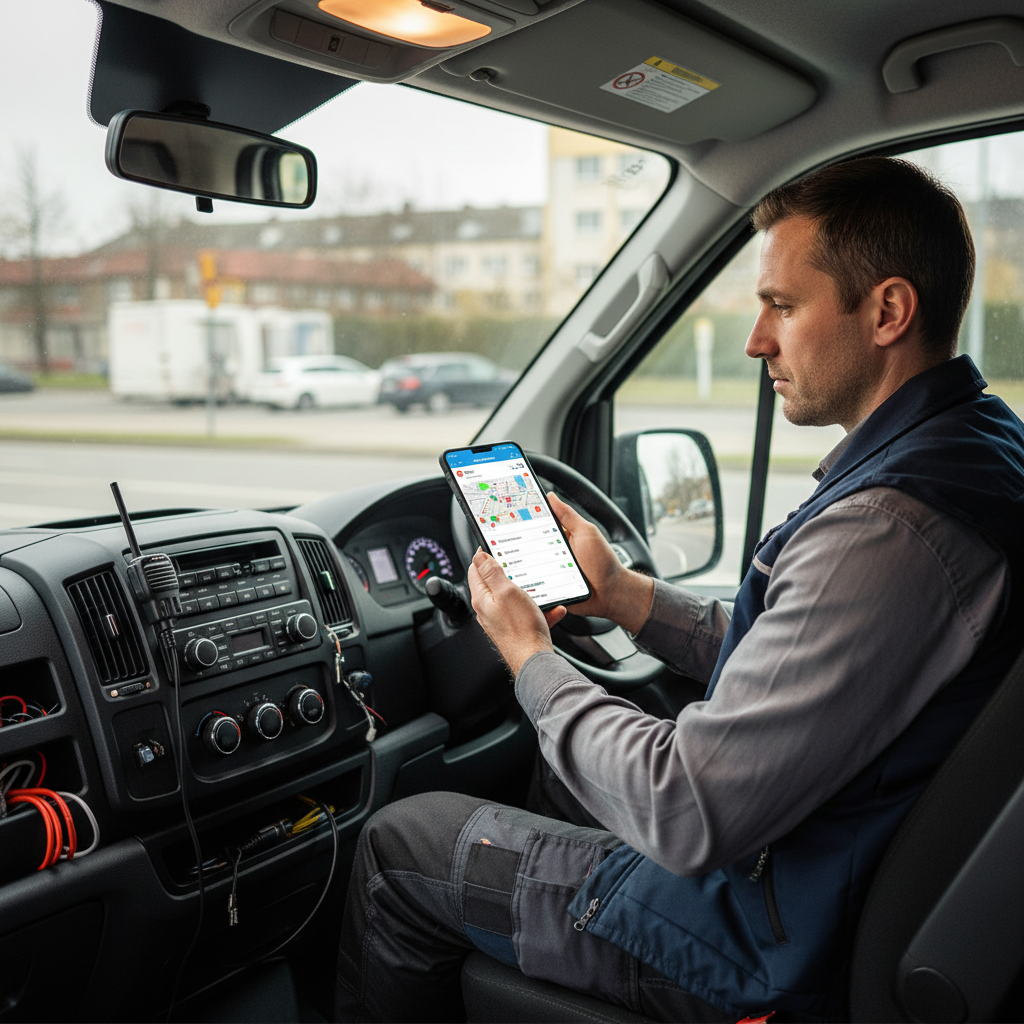
Challenge: Your Mobile Techs Can't Access Lead Details Without Calling Dispatch
Most locksmith operations still run on a dispatcher-as-middleman model. Lead comes in, dispatcher takes the info, calls the tech, reads the details over the phone.
The tech writes it on paper or tries to remember it.
This adds 4-6 minutes to every handoff and creates information loss. The tech shows up without full context, has to re-confirm details with the customer, and looks unprepared.
Solution: Mobile-First Lead Delivery to Technician Devices
Your lead system should deliver job details directly to technician mobile devices via app or SMS, with zero dispatcher involvement for standard jobs.
Here's the mobile handoff workflow:
Notification Format:
- 📱 Customer Name + Phone: Click-to-call enabled
- 📱 Service Type: Emergency lockout, rekey, lock installation
- 📱 Service Address: Click-to-navigate in Maps
- 📱 Urgency Level: Emergency, same-day, scheduled
- 📱 Special Instructions: Gate code, parking notes, property access details
- 📱 Estimated Job Value: Based on service type and property type
- 📱 Pre-Call Script: 3-4 bullet points to cover in first contact
The tech receives this via push notification within 60 seconds of lead assignment. They can accept, call customer, and navigate to the job without touching dispatch.
For complex jobs (commercial access control, master key systems), dispatcher still handles assignment, but the lead metadata is visible to the tech in the mobile app before they call.
This reduces first-contact time by 40% and eliminates the 'let me call you back after I talk to my dispatcher' friction that kills emergency jobs.
"⭐️ Dolead Expert Tip: Use SMS as a fallback for techs who don't have the mobile app installed. A formatted text with name, address, service type, and click-to-call link is better than a phone call from dispatch—it preserves the speed advantage while maintaining operational flexibility."
Challenge: You're Treating All Locksmith Leads the Same, Regardless of Revenue Potential
A residential lockout is a $75-$150 job. A commercial master key system installation is a $2,000-$8,000 project.
If your CRM treats both as 'locksmith lead' and routes them the same way, you're misallocating high-value opportunities.
High-value commercial leads need different handling: longer discovery calls, on-site assessments, detailed proposals, and follow-up sequences. Routing them to a tech optimized for speed-to-door emergency calls is a strategic error.
Solution: Lead Scoring and Revenue-Based Routing
Implement a lead scoring model that assigns point values based on revenue potential:
- 💰 Emergency Residential Lockout: 10 points ($75-$150 revenue)
- 💰 Residential Rekey (Single Lock): 15 points ($100-$200 revenue)
- 💰 Residential Rekey (Full Home): 30 points ($300-$600 revenue)
- 💰 Automotive Locksmith (Key Replacement): 40 points ($150-$400 revenue)
- 💰 Commercial Lock Installation: 50 points ($500-$1,500 revenue)
- 💰 Commercial Access Control System: 100 points ($2,000-$8,000 revenue)
- 💰 Master Key System Design: 150 points ($5,000-$15,000 revenue)
Leads scoring below 25 points go to mobile techs optimized for volume and speed. Leads scoring above 50 points go to senior techs or estimators who can handle consultative sales.
Your CRM routing rules should trigger different workflows:
High-Value Lead Workflow (50+ points):
- 🚀 Assigned to senior tech or sales estimator
- 🚀 First contact is a discovery call, not a dispatch
- 🚀 Follow-up sequence includes email proposal and 48-hour callback
- 🚀 Lead stays in pipeline for 30 days with nurture touchpoints
Emergency Lead Workflow (10-25 points):
- ⚡ Assigned to nearest available mobile tech
- ⚡ First contact within 90 seconds
- ⚡ Goal is same-day service completion
- ⚡ No extended follow-up if job is declined
This prevents revenue leakage on high-value commercial opportunities that die because they were handled like emergency lockouts.
The Economics: Why Yield Per Lead Matters More Than Cost Per Lead
Most operators evaluate locksmith leads for sale based on a single metric: cost per lead (CPL). But CPL is an incomplete picture.
What matters is yield per lead (YPL)—the actual revenue generated per lead after accounting for contact rate, booking rate, show rate, and average job value.
Here's the mathematical breakdown:
Standard Lead Economics (No CRM Integration):
- • Cost per lead: $60
- • Contact rate: 45% (you reach them)
- • Booking rate: 30% (they schedule)
- • Show rate: 85% (job happens)
- • Average job value: $180
Calculation:
100 leads × $60 = $6,000 spend
100 leads × 45% contact = 45 conversations
45 conversations × 30% booking = 13.5 jobs booked
13.5 jobs × 85% show = 11.5 completed jobs
11.5 jobs × $180 = $2,070 revenue
Net Loss: -$3,930
Yield Per Lead: $20.70
This is a losing operation. But most operators don't track it this way—they only see the $60 CPL and assume they're getting a deal.
Optimized Lead Economics (API Integration + Mobile Handoff):
- • Cost per lead: $60 (same)
- • Contact rate: 72% (real-time handoff, mobile delivery)
- • Booking rate: 48% (pre-qualified, urgency-filtered)
- • Show rate: 90% (confirmed availability upfront)
- • Average job value: $195 (better routing to high-value jobs)
Calculation:
100 leads × $60 = $6,000 spend
100 leads × 72% contact = 72 conversations
72 conversations × 48% booking = 34.6 jobs booked
34.6 jobs × 90% show = 31 completed jobs
31 jobs × $195 = $6,045 revenue
Net Profit: +$45
Yield Per Lead: $60.45
Same cost per lead. 3x more completed jobs. The difference isn't the lead source—it's the operational infrastructure that handles the lead after it arrives.
Now scale this to 500 leads per month:
- • Unoptimized: 500 leads = 57 jobs, $10,260 revenue, -$19,740 loss
- • Optimized: 500 leads = 155 jobs, $30,225 revenue, +$225 profit
The gap is $50,000 per month in lost opportunity—not from buying better leads, but from fixing handoff speed and routing logic.
10-Point Operational Audit: Is Your Locksmith Lead System Leaking Revenue?
Run this audit to identify where your lead handoff is breaking down. Score each item 0-10 (0 = not happening, 10 = fully optimized).
- 1️⃣ Lead Delivery Speed: Are leads arriving in your CRM within 30 seconds of submission via API or webhook? (Not email, not manual entry.)
- 2️⃣ Metadata Completeness: Does every lead include service type, property type, urgency flag, GPS coordinates, and availability confirmation?
- 3️⃣ Mobile Handoff: Do your techs receive job details via push notification or SMS with click-to-call and click-to-navigate links?
- 4️⃣ First Contact Time: Are you contacting emergency leads within 90 seconds? Same-day leads within 5 minutes?
- 5️⃣ Smart Routing: Are high-value commercial leads routed to senior techs or estimators, not emergency response techs?
- 6️⃣ Pre-Qualification: Are landing pages filtering out leads outside your service area, unavailable prospects, or non-urgent inquiries before they hit your CRM?
- 7️⃣ Outcome Tracking: Are you logging contact made, quote given, job booked, job completed, and rejection reason for every lead?
- 8️⃣ Feedback Loop: Is outcome data flowing back to your lead partner monthly (or in real time) to optimize targeting?
- 9️⃣ Lead Scoring: Are you assigning revenue-based scores to segment emergency vs. consultative leads?
- 🔟 Yield Per Lead Tracking: Do you calculate actual revenue per lead (not just cost per lead) and review it weekly?
Scoring Guide:
- • 80-100: You're operating at an elite level. Focus on scaling volume.
- • 50-79: Solid foundation, but 20-30% revenue leakage. Prioritize mobile handoff and outcome tracking.
- • 20-49: Major gaps. You're losing half your lead value to handoff friction. Start with API integration and first-contact speed.
- • 0-19: You're paying for leads but operating like it's 2010. Every system is costing you money. Rebuild from CRM forward.
Standard Operating Procedure: First-Contact Workflow for Emergency Locksmith Leads
Here's the exact SOP your dispatch team and mobile techs should follow for every emergency lead (lockout, lost key, broken lock):
Dispatcher SOP (if not using mobile-direct handoff):
- 1️⃣ Lead Arrives (0:00): CRM triggers alert. Review metadata: service type, address, urgency, property type.
- 2️⃣ Assign Tech (0:15): Route to nearest available tech within service radius. Confirm tech has capacity and skill set.
- 3️⃣ Send Job Details (0:30): Push notification or SMS to tech with: customer name, phone, address, service type, map link, pre-call script.
- 4️⃣ Monitor First Contact (1:30): If tech hasn't made contact within 90 seconds, call tech to confirm receipt. If unavailable, reassign immediately.
Technician SOP:
- 1️⃣ Receive Notification (0:30): Review job details on mobile device. Confirm service type matches skill set and tools on truck.
- 2️⃣ Accept Job (0:45): Tap 'Accept' in app or reply 'YES' to SMS. CRM updates status to 'Assigned.'
- 3️⃣ Call Customer (1:00): Use pre-call script: 'Hi [Name], this is [Tech] from [Company]. I received your request for [service type] at [address]. I'm 12 minutes away. Is this still urgent?' Confirm address, gate codes, parking.
- 4️⃣ Navigate to Job (1:30): Use map link. Update CRM status to 'En Route.' Send ETA text to customer.
- 5️⃣ Arrive On-Site (15:00): Update CRM to 'On Site.' Complete job. Process payment. Update CRM to 'Completed' with final revenue amount.
Key Timing Benchmarks:
- • Lead arrival to tech notification: <30 seconds
- • Tech notification to first customer contact: <90 seconds
- • First contact to tech en route: <3 minutes
- • Lead submission to tech on-site: <20 minutes (urban), <35 minutes (suburban)
Any emergency lead that exceeds these benchmarks has a 60%+ higher abandonment rate. The customer has already moved on to the next locksmith.
Why a Lead Generation Partner is the Right Solution for You
Dolead operates as an operational extension of your business, absorbing the marketing risk by delivering validated, exclusive leads on a strict pay-per-lead model.
About the Author
Guillaume Heintz is an operator-grade lead generation expert with decades of experience helping locksmith professionals scale using performance-based marketing strategies.


.svg)
.svg)
.svg)
.svg)


