Most plumbing shops kill their own leads. The problem isn't volume—it's that the lead enters your CRM cold, skeptical, and price-shopping across three other tabs. Your CSR has 45 seconds to overcome objections that should have been handled before the form was submitted. This is the operational flaw buried in most plumbing lead generation solutions: they deliver contact records without pre-framing intent, budget expectation, or urgency. The result is a 30% connect rate and a 12% book rate because you're doing trust-building work that should have happened upstream.
Pre-framing is the difference between a lead and a dispatch-ready inquiry. It means the prospect has already been educated on typical job costs, timeline expectations, and your service radius before they hit 'Submit'. They've seen social proof. They understand why you charge a diagnostic fee. They know you're licensed, insured, and compliant. When your CSR calls, the conversation starts at 'When can you get here?' instead of 'How much does this cost?'
This guide deconstructs the mechanics of pre-framing leads in plumbing marketing. You'll see how to engineer trust signals into the lead capture flow, eliminate tire-kickers before they waste dispatch capacity, and structure your intake process to maximize book rate without adding headcount. If your current lead source dumps raw contact info into your CRM and expects your team to do all the qualifying work, you're subsidizing their operational laziness with your labor cost.
Challenge: Leads Enter Your CRM With Zero Context or Intent Signal
Your CSR picks up the phone. The homeowner says, 'I filled out a form about a leaky faucet.' That's it. No indication of urgency, no budget acknowledgment, no understanding of your service model. The CSR now has to:
- 🔧 Diagnose the actual problem over the phone
- 💰 Set expectations on pricing (without triggering sticker shock)
- 📋 Explain why you charge a trip fee
- 📍 Qualify whether the lead is in your service radius
- ⚡ Overcome the objection that 'three other plumbers are calling me back'
This is a 7-minute call that should have taken 90 seconds. The friction isn't the CSR's fault—it's that the lead generation source did no pre-qualification work. The form asked for a name, phone number, and a text box labeled 'Describe your issue'. No budget range selector. No urgency indicator. No acknowledgment that emergency service costs more than scheduled maintenance.
The math is brutal. If your CSR handles 40 inbound leads per day and spends an extra 5 minutes per call doing remedial trust-building, that's 3.3 hours of wasted labor daily. Over a month, that's 100 hours—half a full-time salary—spent on work that should have been automated upstream.
Solution: Build Trust Architecture Into the Lead Capture Flow
Pre-framing starts the moment the prospect sees your offer. The ad copy, landing page, and form itself should collaboratively educate the lead on what to expect. This isn't about 'setting expectations'—it's about disqualifying bad-fit leads before they cost you money.
Here's the tactical structure:
Step 1: Ad Copy Should Pre-Qualify Geography and Service Type
Your ad shouldn't say 'Need a plumber?' It should say: 'Emergency drain clearing in [City]—licensed, insured, same-day dispatch.' This eliminates leads outside your service radius and sets the expectation that you handle urgent work, not price-shopping projects.
Step 2: Landing Page Must Display Pricing Anchors
Don't hide behind 'Call for a quote.' Show a pricing grid:
- 💵 Diagnostic visit: $89–$129
- 🔧 Standard repair (non-emergency): $200–$600
- 🚨 Emergency callout (nights/weekends): $300 minimum
This isn't giving away your pricing strategy—it's filtering out leads who were never going to convert. The homeowner who balks at a $129 diagnostic fee wasn't going to book a $2,400 water heater replacement anyway. You just saved your CSR 6 minutes.
"⭐️ Dolead Expert Tip: Pre-framing pricing doesn't reduce lead volume—it increases qualified lead volume. When prospects self-select based on budget fit, your book rate climbs because you're not wasting time on tire-kickers."
Step 3: Form Fields Should Force Intent Declaration
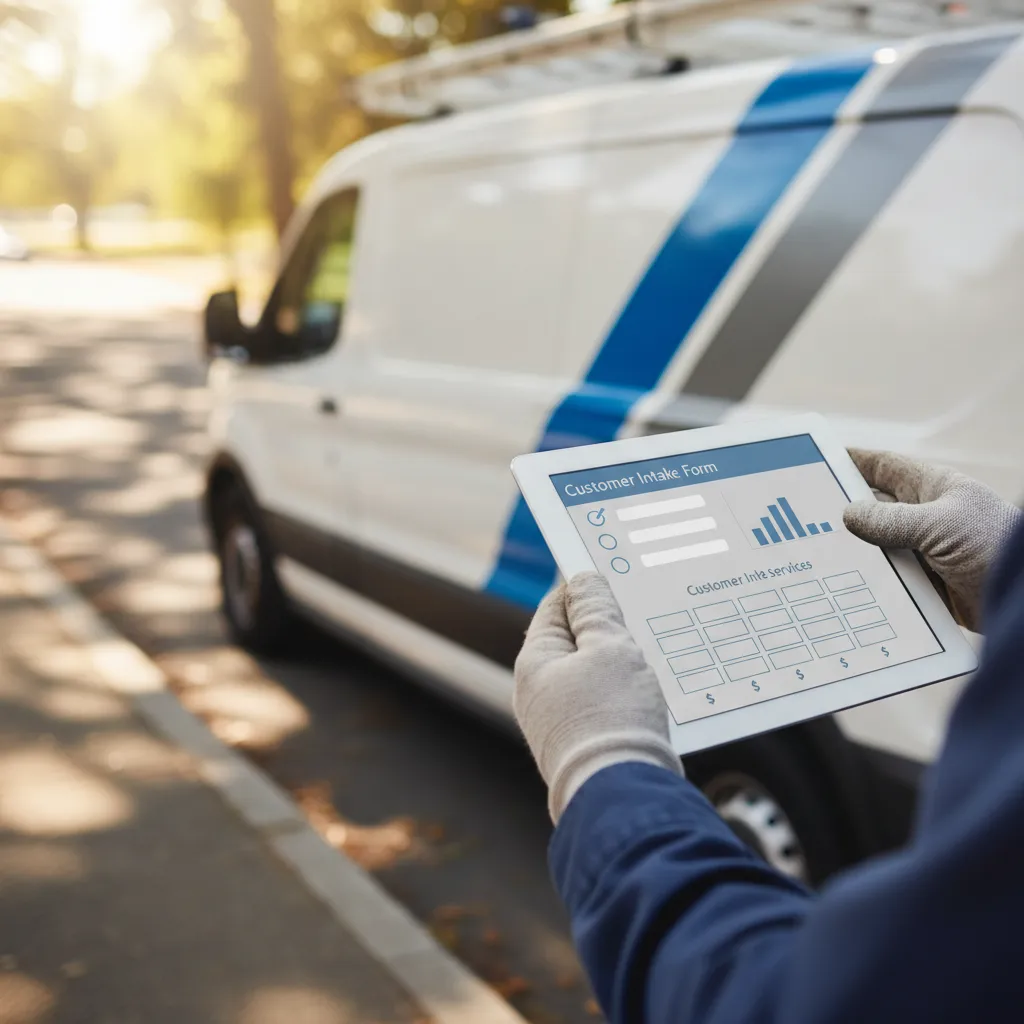
Replace the open text box with structured inputs:
- 🔽 Issue type (dropdown): Clogged drain, water heater, leak, installation, other
- ⏰ Urgency (radio buttons): Emergency (today), urgent (24–48 hrs), scheduled (next week)
- 🏠 Property type (dropdown): Single-family, multi-unit, commercial
- ✅ Budget awareness (checkbox): 'I understand diagnostic fees apply and typical repairs range from $200–$600'
This is not friction—it's qualification. A lead who won't check a box acknowledging standard pricing was never going to convert. You just prevented a dead call.
Step 4: Confirmation Page Should Reinforce Next Steps
After form submission, the confirmation page should display:
- 📞 'A dispatcher will call you within 15 minutes'
- 📋 'Please have your property details ready'
- 🛡️ 'Our technicians are licensed, insured, and background-checked'
- ⭐ A link to your Google reviews or video testimonials
This does two things: it reduces no-answers (because the lead is expecting your call) and pre-handles the credibility objection before your CSR dials.
Challenge: CSRs Spend the First 3 Minutes Rebuilding Trust From Zero
Even when a lead submits a form, the first question your CSR hears is often: 'Who is this?' The prospect doesn't remember filling out the form (because they filled out four others). They don't know your company name. They definitely don't trust you yet.
This is a structural failure of most lead gen sources. The handoff from 'lead captured' to 'CSR calls' includes zero trust transfer. The lead generation partner collected the contact info and disappeared. Your team is starting from scratch.
The operational cost is hidden but massive. If 40% of your leads don't answer the first call attempt, and another 20% answer but don't remember requesting service, you're burning dispatch capacity on re-dials and trust recovery. A typical plumbing shop wastes 15–20 hours per week on this invisible friction.
Solution: Engineer Trust Transfer Into the Lead Handoff Process
Trust transfer is the connective tissue between lead capture and first contact. If the lead doesn't recognize your company when you call, your close rate drops 40%. The fix is to make your brand the last thing they saw before you dial.
Here's the operational sequence:
Immediate Post-Submission SMS (Within 60 Seconds)
The moment the form is submitted, send an automated SMS:
'Hi [Name], this is [Company Name]. We received your request for [service type]. A dispatcher will call you within 15 minutes from [your business number]. Save this number so you recognize our call.'
This solves two problems: it reduces no-answers (because the lead is primed) and it associates your brand with the inquiry in real-time. When your CSR calls 10 minutes later, the lead says, 'Oh yeah, I just got your text' instead of 'Who is this?'
Email Confirmation With Visual Brand Reinforcement
Send a follow-up email with:
- 🏷️ Your logo and company name prominently displayed
- 👤 A headshot of the dispatcher or tech who will call
- 📝 A brief explainer: 'You requested [service]. Here's what happens next.'
- ⭐ Links to reviews, certifications, and your Better Business Bureau profile
This isn't marketing fluff—it's operational reinforcement. The lead now has three touchpoints (form submission, SMS, email) that all reinforce your brand before the voice call. When your CSR dials, the lead is pre-warmed.
"📌 Partner Note: Compliance is built into our validation rules so you don't buy risk."
CSR Script Should Acknowledge the Inquiry Immediately
Your CSR's opening line should be: 'Hi [Name], this is [CSR Name] from [Company]. I'm calling about the [specific issue] you requested help with. Do you have a minute to confirm a few details?'
Notice what this does: it assumes the lead remembers the inquiry (because they just got an SMS and email about it) and immediately demonstrates you're not a cold caller. You're responding to their request. This flips the power dynamic and cuts objection time by 60%.
Challenge: Leads Don't Understand Why You Charge a Diagnostic Fee
The single biggest sales friction point in plumbing is the diagnostic or trip fee. The homeowner thinks, 'Why am I paying you $120 just to show up?' Your CSR spends 4 minutes explaining that the fee covers the technician's time, gas, and diagnostic expertise—and that it's waived if they book the repair.
This objection should never reach the CSR. If a lead is surprised by a diagnostic fee, your pre-framing failed. The fix is to normalize the fee structure before the lead submits the form.
Solution: Make the Diagnostic Fee Part of the Value Proposition
Stop hiding the diagnostic fee—lead with it. The fee isn't a penalty; it's a filter that disqualifies non-serious leads and signals professionalism. Here's how to structure it:
On the Landing Page (Above the Fold)
Include a section titled 'How Our Service Works':
- 1️⃣ You request service (form takes 60 seconds)
- 2️⃣ We dispatch a licensed tech (typically within 2 hours for emergencies)
- 3️⃣ $99 diagnostic visit (waived if you approve the repair)
- 4️⃣ Transparent quote before work begins (no surprises)
This does three things: it sets the fee expectation, it explains the value (licensed tech, fast dispatch), and it clarifies the waiver condition. A lead who submits after reading this has implicitly accepted the fee structure.
In the Form (As a Required Checkbox)
Add a checkbox: 'I understand there is a $99 diagnostic fee, waived if I approve the recommended repair.'
This is not aggressive—it's operationally sound. You're ensuring the lead has read and acknowledged the fee before they hit Submit. When your CSR calls, they skip the objection entirely and go straight to scheduling.
During the Confirmation SMS
Reinforce the fee in the post-submission SMS:
'We've received your request. A licensed plumber will diagnose the issue for $99 (waived if you book the repair). We'll call you within 15 minutes to schedule.'
By the time your CSR dials, the lead has seen the fee four times (ad, landing page, form checkbox, SMS). There's no ambiguity. The objection rate drops to near zero.
"⭐️ Dolead Expert Tip: Leads who balk at a diagnostic fee are never profitable. They're price-shopping and will ghost after getting your free estimate. Pre-framing the fee saves dispatch capacity for serious buyers."
Challenge: Your CRM Is Full of Leads Outside Your Service Radius
You get a call from a homeowner 40 miles outside your zone. Your CSR has to explain you can't help them. That's a wasted dial, wasted time, and a frustrated lead who now associates your brand with rejection.
This is a targeting failure, not a sales problem. If your lead generation partner isn't geo-filtering at the point of capture, they're dumping unqualified contacts into your pipeline and billing you for them.
Solution: Enforce Service Radius Validation at Form Submission
Geography should be the first disqualifier, not the last. If a lead is outside your service area, they shouldn't be able to submit the form. Here's the technical fix:
Implement Address Auto-Complete With Radius Validation
Use a form tool (like Google Places API) that auto-completes addresses and validates them against your service radius in real time. If the address is outside your zone, display an error message:
'We currently don't service [entered city]. Click here to request notification when we expand to your area.'
This is not a lost lead—it's a prevented cost. You just saved your CSR a dial and your dispatch team a dead inquiry. You also collected an email for future expansion (which costs you nothing).
Display Service Area Map on Landing Page
Above the form, show a simple map graphic with your service radius highlighted. Include a bulleted list of covered cities. This self-filters leads before they waste time filling out the form.
CSR Script Should Confirm Address Immediately
Even with form validation, your CSR's second question (after confirming the issue) should be: 'Just to confirm, you're located at [address], correct?' If the lead gives a different address, the CSR can disqualify immediately instead of proceeding through a 5-minute diagnostic call.
Challenge: Leads Are Comparing You to Three Other Providers in Real Time
Your CSR finishes the call. The lead says, 'Let me think about it.' Translation: 'I'm going to see who calls back first and offers the lowest price.' You just invested 6 minutes qualifying a lead who's now in a silent auction with your competitors.
This is a differentiation failure. If your value proposition is 'We're a licensed plumber,' you have no moat. Every other plumber says the same thing. The lead defaults to price because they have no other decision criteria.
Solution: Inject Differentiation Signals Into Pre-Framing
Your competitive advantage must be communicated before the lead talks to a CSR. If differentiation only happens on the phone, you've already lost to whoever answered faster or quoted lower. Here's how to build differentiation into the lead capture flow:
Landing Page Should Lead With Unique Proof Points
Don't say 'Licensed and insured' (everyone says that). Say:
- ⚡ '24/7 emergency dispatch—avg response time 90 minutes'
- 💰 'Flat-rate pricing (no hourly surprises)'
- 🛡️ '2-year warranty on all repairs'
- ⭐ '4.9-star rating, 800+ Google reviews'
These are verifiable differentiators that change the buying criteria. A homeowner comparing three plumbers will now evaluate based on response time and warranty, not just price.
Embed Video Testimonials on the Landing Page
A 30-second video of a real customer saying 'They showed up in 45 minutes and fixed my water heater for $380' does more trust-building than 10 paragraphs of sales copy. Video isn't a 'nice-to-have'—it's a conversion accelerator that compounds your close rate by 20–30%.
CSR Script Should Reinforce Differentiation Immediately
Your CSR's third sentence should inject a differentiator:
'Just so you know, we offer a 2-year parts and labor warranty on all repairs, and if we can't fix it today, the diagnostic fee is fully refunded.'
This isn't a sales pitch—it's an operational fact that changes the decision calculus. The lead is no longer comparing apples to apples. They're comparing your warranty-backed service to a competitor's 'we'll see what we can do.'
"📌 Partner Note: We keep the process auditable and safe."
Challenge: Emergency Leads Don't Convert Because They Don't Trust Speed Claims
Your ad says '2-hour emergency response.' The lead submits a form at 9 PM on a Saturday. They don't believe you'll actually show up tonight, so they also call two other 24/7 plumbers. Whoever answers first and sounds credible gets the job.
This is a credibility gap. Claiming fast response isn't enough—you have to prove it in the moment of inquiry.
Solution: Demonstrate Speed in the Lead Handoff Process
Speed is only credible if the lead experiences it immediately. If your ad promises 2-hour dispatch but your CSR doesn't call back for 45 minutes, you've proven yourself unreliable before the truck even rolls. Here's how to architect speed into trust:
Set a 10-Minute Call-Back SLA (and Hit It)
Configure your CRM to alert the on-call CSR the second a form is submitted. Not 'when they get to it'—immediately. If you promise emergency service, your internal SLA should be a 10-minute call-back, not 30.
This is operationally non-negotiable. A lead who fills out an emergency form at 8 PM and doesn't hear back until 8:45 has already booked someone else. Speed compounds credibility.
SMS Confirmation Should Specify Exact Call-Back Window
Don't say 'We'll call you soon.' Say:
'Emergency request received. A dispatcher will call you within 10 minutes (by 9:14 PM). If you don't hear from us by then, call [emergency line].'
This is a commitment device. You've staked your credibility on a specific time. When you hit it (or beat it), the lead's trust in your speed claim is validated. When your CSR calls at 9:09 PM, the lead is impressed, not skeptical.
CSR Script Should Confirm Dispatch Time Immediately
After confirming the issue, the CSR should say:
'I can have a tech to you by 11 PM tonight. Does that work, or do you need someone sooner?'
This flips the urgency dynamic. The lead isn't wondering if you can help tonight—they're deciding what time. You've moved from 'unproven claim' to 'credible offer' in 90 seconds.
Challenge: Your Close Rate Drops on Leads Over $500
Your CSR books drain clearings and faucet repairs all day. But when the diagnostic reveals a $1,200 sump pump replacement, the close rate falls off a cliff. The lead says 'I need to talk to my spouse' or 'Let me get another quote.'
This is a ticket-average ceiling caused by inadequate financial pre-framing. The lead was expecting a $200–$400 repair. When the number hits four figures, they experience sticker shock—even if the price is fair.
Solution: Pre-Frame High-Ticket Scenarios in the Lead Capture Flow
High-ticket close rates improve when the lead is already considering a major repair before the diagnostic. This doesn't mean scaring them off—it means normalizing the range of possible outcomes. Here's the structure:
Landing Page Should Display High-Ticket Examples
Under your pricing anchors, add a section: 'Common Major Repairs':
- 🔥 Water heater replacement: $1,200–$2,400
- 🚰 Main line repair: $1,500–$4,000
- 💧 Sump pump installation: $800–$1,600
Include a disclaimer: 'Most service calls are under $500, but if your issue requires a major repair, we provide transparent quotes before starting work.'
This sets the psychological anchor. When the tech quotes $1,400 for a water heater, the lead isn't shocked—they already saw that range on the landing page. The objection shifts from 'That's way too much' to 'Is this the best option?'
Form Should Include Budget Range Selector (For Non-Emergency Leads)
For scheduled (non-emergency) service requests, add a dropdown: 'Expected budget for this project':
- 💵 Under $300
- 💰 $300–$700
- 💸 $700–$1,500
- 🏦 $1,500+
- ❓ Not sure yet
This does two things: it forces the lead to think about budget before submitting (which reduces sticker shock), and it gives your CSR a qualification data point. If the lead selects 'Under $300' but the issue is a main line break, the CSR can pre-frame the higher range before dispatch.
CSR Script Should Normalize High-Ticket Outcomes Early
If the issue description suggests a major repair (e.g., 'no hot water,' 'sewage backup'), the CSR should say:
'Based on what you're describing, this could be a simple fix around $200–$400, or it might require a component replacement in the $800–$1,500 range. Our tech will diagnose it and give you a detailed quote before any work starts. Sound good?'
This isn't negative—it's transparent. You've just eliminated the surprise. When the tech quotes $1,200, it's within the range the lead was already prepared for.
Challenge: You Don't Know Which Lead Sources Produce Dispatch-Ready Inquiries
You're running Google Ads, buying leads from three aggregators, and tracking referrals. At month-end, you know how many leads each source delivered. What you don't know is how many of those leads were dispatch-ready (pre-qualified, budget-aware, in-service area) versus raw contact info that required 10 minutes of CSR labor to triage.
This is a unit economics blindspot. If Source A delivers 50 leads at $40 CPL with a 40% book rate, and Source B delivers 80 leads at $30 CPL with a 15% book rate, Source A is more profitable—but your dashboard only shows volume and cost.
Solution: Track 'Qualification Labor Cost' Per Lead Source
Not all leads have the same operational cost. A pre-framed lead that enters your CRM with issue type, urgency, budget acknowledgment, and confirmed service area requires 2 minutes of CSR time. A raw contact dump requires 8 minutes. That 6-minute delta compounds across hundreds of leads.
Here's how to measure it:
Add a CRM Field: 'Qualification Time'
Your CSR logs how long each call takes from dial to disposition (booked, disqualified, no answer, callback). Tag each lead with its source. At month-end, calculate:
Average Qualification Time by Source = Total CSR minutes / Lead count
If Source A averages 3 minutes per lead and Source B averages 9 minutes, Source B is actually 3x more expensive than the CPL suggests—because you're subsidizing their lack of pre-framing with labor cost.
Calculate 'Effective CPL' Including Labor
Use this formula:
Effective CPL = (Lead cost + [Avg qualification time × CSR hourly rate]) / Booked jobs
Example:
- 📊 Source A: $40 CPL, 3 min avg qualification, 40% book rate
- 💼 CSR hourly rate: $25 ($0.42/min)
- ⚙️ Labor cost per lead: 3 min × $0.42 = $1.26
- 💰 Total cost per lead: $41.26
- ✅ Effective CPL (per booked job): $41.26 / 0.40 = $103.15
Compare to:
- 📊 Source B: $30 CPL, 9 min avg qualification, 15% book rate
- ⚙️ Labor cost per lead: 9 min × $0.42 = $3.78
- 💰 Total cost per lead: $33.78
- ❌ Effective CPL (per booked job): $33.78 / 0.15 = $225.20
Source B looks cheaper on paper but costs 2.2x more per booked job when you factor in qualification labor. This is the hidden tax of low-quality lead sources.
Audit Your Lead Sources Quarterly
Every 90 days, run a report:
- 📈 Lead volume by source
- ✅ Book rate by source
- ⏱️ Avg qualification time by source
- 💵 Effective CPL by source
Cut any source where effective CPL exceeds your target CAC by more than 20%. Redirect that budget to sources that deliver pre-framed, dispatch-ready inquiries.
Challenge: CSRs Can't Handle Objections Because They Don't Understand Unit Economics
Your CSR hears: 'Why is your diagnostic fee $120 when [competitor] charges $79?' They don't have a good answer because they don't know your cost structure. They default to 'That's just our price' or start negotiating—neither of which closes the lead.
This is a training gap disguised as a sales objection. Your CSR can't defend pricing if they don't understand why it's set at that level. The fix is to train them on unit economics, not just scripts.
Solution: Arm CSRs With Cost Transparency (Internal Only)
Your CSR doesn't need to share your margins with the lead, but they should understand them. When they know that the $120 diagnostic fee covers $40 in tech labor, $15 in fuel, $20 in insurance/licensing, and $45 in overhead/profit, they can confidently say:
'Our diagnostic fee reflects the cost of dispatching a fully licensed, insured plumber to your home with commercial-grade tools. We're not the cheapest option, but we're the most reliable—and the fee is waived if you approve the repair.'
This is not defensive—it's educational. The lead now understands the fee is tied to value, not arbitrary pricing.
Create a 'Cost Breakdown Cheat Sheet' for CSRs
Give your CSRs a laminated one-pager (for internal use) that shows:
- 💵 Diagnostic fee: $120 → $40 labor, $15 fuel, $20 compliance, $45 margin
- 🔧 Standard service call: $350 avg ticket → $120 labor, $80 parts, $60 overhead, $90 margin
- 🚨 Emergency callout: $500 avg ticket → $180 labor (OT rate), $100 parts, $80 overhead, $140 margin
This transparency arms them to defend pricing without apology. When a lead says 'That's expensive,' the CSR can respond:
'I get it—it's not the cheapest option. But we're paying our techs overtime to get to you tonight, and we're covering full liability insurance. If price is your only concern, I can refer you to [competitor], but if you want guaranteed tonight service with a 2-year warranty, we're your best bet.'
That's confident positioning, not desperation.
10-Point Operational Audit: Plumbing Lead Pre-Framing Checklist
Use this audit to evaluate whether your current lead generation process is optimized for pre-framing. Score each item as Pass (1 point) or Fail (0 points). A score below 7/10 indicates significant revenue leakage.
- 1️⃣ Ad Copy Pre-Qualification: Does your ad specify service area, urgency level, and service type (e.g., 'Emergency drain clearing in [City]')?
- 2️⃣ Pricing Transparency: Does your landing page display diagnostic fee ranges and typical repair costs above the fold?
- 3️⃣ Structured Form Fields: Does your form use dropdowns and checkboxes to force intent declaration (issue type, urgency, budget awareness)?
- 4️⃣ Geographic Validation: Does your form use address auto-complete with real-time service radius validation to reject out-of-area leads before submission?
- 5️⃣ Post-Submission SMS: Do you send an automated SMS within 60 seconds confirming the request and priming the lead for your call?
- 6️⃣ Email Brand Reinforcement: Do you send a follow-up email with your logo, tech headshot, and links to reviews/certifications?
- 7️⃣ 10-Minute Call-Back SLA: For emergency leads, do you have a CRM alert that triggers immediate CSR contact within 10 minutes?
- 8️⃣ High-Ticket Pre-Framing: Does your landing page display common major repair costs (water heater, main line, sump pump) to normalize high-ticket scenarios?
- 9️⃣ Qualification Time Tracking: Do you log CSR call duration by lead source to calculate effective CPL including labor cost?
- 🔟 CSR Economic Training: Have you provided your CSRs with internal cost breakdowns so they can defend pricing without hesitation?
Scoring Guide:
- ✅ 9–10 points: Elite-level pre-framing. Your lead quality is a competitive advantage.
- ⚠️ 7–8 points: Solid foundation with gaps. Focus on the failing items to unlock 15–20% book rate improvement.
- ❌ Below 7 points: Structural revenue leakage. You're paying for leads and then subsidizing poor pre-framing with CSR labor.
Unit Economics Deep Dive: Yield Per Lead vs. Cost Per Lead
Most plumbing operators optimize for Cost Per Lead (CPL)—the amount paid to acquire a single contact record. This is a vanity metric. What actually determines profitability is Yield Per Lead (YPL)—the revenue generated per lead after accounting for conversion friction, labor cost, and operational overhead.
Here's the mathematical breakdown:
Standard CPL Calculation (Incomplete)
CPL = Total marketing spend / Number of leads delivered
Example: You spend $3,000 on Google Ads and receive 100 leads. Your CPL is $30.
This tells you nothing about profitability. A $30 lead that books 60% of the time at a $450 average ticket is worth $270 in revenue. A $30 lead that books 10% of the time at a $300 average ticket is worth $30 in revenue—break-even before labor.
True Yield Per Lead Calculation (Complete)
YPL = (Leads × Book Rate × Avg Ticket) - (Leads × Qualification Labor Cost)
Let's compare two lead sources:
Source A: Pre-Framed Leads (High Quality)
- 📊 Leads delivered: 50
- 💵 CPL: $45
- ✅ Book rate: 45%
- 💰 Avg ticket: $520
- ⏱️ Avg qualification time: 3 minutes
- 💼 CSR cost: $0.42/min
Total marketing cost: 50 × $45 = $2,250
Total labor cost: 50 × 3 min × $0.42 = $63
Total acquisition cost: $2,250 + $63 = $2,313
Booked jobs: 50 × 0.45 = 22.5 jobs
Total revenue: 22.5 × $520 = $11,700
Yield per lead: $11,700 / 50 = $234
Profit margin: ($11,700 - $2,313) / $11,700 = 80.2%
Source B: Raw Contact Dumps (Low Quality)
- 📊 Leads delivered: 100
- 💵 CPL: $28
- ❌ Book rate: 18%
- 💰 Avg ticket: $380
- ⏱️ Avg qualification time: 9 minutes
- 💼 CSR cost: $0.42/min
Total marketing cost: 100 × $28 = $2,800
Total labor cost: 100 × 9 min × $0.42 = $378
Total acquisition cost: $2,800 + $378 = $3,178
Booked jobs: 100 × 0.18 = 18 jobs
Total revenue: 18 × $380 = $6,840
Yield per lead: $6,840 / 100 = $68.40
Profit margin: ($6,840 - $3,178) / $6,840 = 53.5%
The Yield Gap Analysis
Source A delivers 3.4x higher yield per lead ($234 vs $68.40) despite having a 61% higher CPL ($45 vs $28). Why?
- ✅ Higher book rate: Pre-framing eliminates tire-kickers, boosting conversion from 18% to 45%.
- 💰 Higher average ticket: Pre-framed leads are budget-aware and more likely to approve higher-value repairs ($520 vs $380).
- ⏱️ Lower labor cost: CSRs spend 3 minutes instead of 9 minutes per lead, reducing operational drag.
The lesson: CPL is a cost metric. YPL is a profitability metric. Optimizing for the former without measuring the latter guarantees revenue leakage.
Operator SOP: Lead Follow-Up and CRM Integration
Pre-framing only works if your internal systems can operationalize the data. Here's the step-by-step SOP for integrating pre-framed leads into your workflow:
Step 1: CRM Tagging at Point of Entry
When a lead enters your CRM, it should auto-populate with:
- 🏷️ Source tag (Google Ads, referral, partner, etc.)
- 🔧 Issue type (from form dropdown)
- ⏰ Urgency level (emergency, urgent, scheduled)
- 💵 Budget range (if captured)
- 📍 Service area validation status (in-radius: yes/no)
This eliminates the need for CSRs to ask redundant questions. The CRM becomes the source of truth, not the phone call.
Step 2: Auto-Routing Based on Urgency
Configure your CRM to route leads based on urgency tags:
- 🚨 Emergency (same-day): Instant SMS + phone alert to on-call CSR. 10-minute SLA.
- ⚡ Urgent (24–48 hours): Assign to CSR queue with 2-hour call-back SLA.
- 📅 Scheduled (next week): Add to email nurture sequence + assign to CSR queue with 24-hour SLA.
This prevents emergency leads from sitting in a general queue while CSRs handle lower-priority inquiries.
Step 3: CSR Script Customization by Lead Type
Your CRM should display a dynamic script based on lead attributes. Example:
If urgency = 'Emergency' AND issue type = 'Water heater':
Script: 'Hi [Name], I'm calling about your water heater issue. You marked this as an emergency—are you currently without hot water? [Pause for answer]. I can have a licensed tech to you by [dispatch time]. Does that work?'
This eliminates script guesswork and ensures every CSR delivers a consistent, high-conversion experience.
Step 4: Post-Call Disposition Logging
After every call, CSRs must log:
- 📞 Outcome (booked, callback scheduled, disqualified, no answer)
- ⏱️ Call duration (start to finish)
- ❓ Objections raised (price, timing, competitor shopping, etc.)
- 💡 Notes (any additional context for the tech)
This data feeds your quarterly lead source audit and identifies training gaps.
Step 5: Automated Follow-Up Sequences
For leads that don't answer or request a callback, trigger automated sequences:
- 📧 Email (5 minutes post-call): 'We tried to reach you about your [issue type]. Click here to schedule a callback.'
- 📱 SMS (2 hours post-call): 'Hi [Name], we're still available to help with your [issue]. Reply YES to schedule service.'
- 📞 Second call attempt (4 hours post-call): CSR re-dials with updated script acknowledging prior attempt.
This recovers 20–30% of no-answer leads without manual CSR effort.
Why a Lead Generation Partner is the Right Solution for You
Dolead operates as an operational extension of your business, absorbing the marketing risk by delivering validated, exclusive leads on a strict pay-per-lead model.
About the Author
Guillaume Heintz is an operator-grade lead generation expert with decades of experience helping plumbing professionals scale using performance-based marketing strategies. His work focuses on eliminating revenue leakage through systemic pre-framing, unit economics optimization, and operational rigor.


.svg)
.svg)
.svg)
.svg)


